AI Writer assistant is out of beta, Brief Context ++
We’re excited to announce that our Writer Assistant is officially out of beta with today’s release!
We know it’s been a while since we’ve updated the Writer Assistant, so we’ve put in a lot of effort to enhance its UX, speed, accuracy, and many other features.
So, what’s new?
1. Updated UX, Fonts and Typography.
First and foremost, we’ve enhanced the typography and overall user experience with the introduction of new fonts and styling updates.
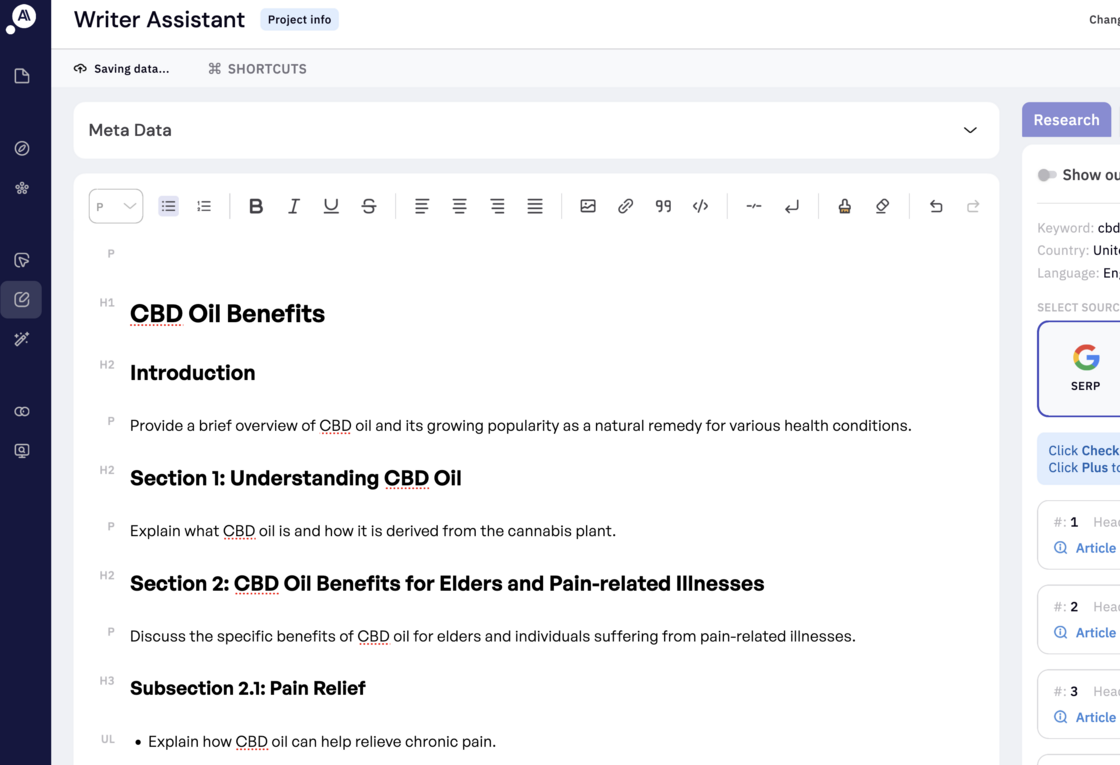
2. Speed and performance
We’ve greatly enhanced speed and performance, ensuring every tab, including the notorious ‘Optimize’ tab, now loads instantly.
3. Instant topic grading
We specialize in optimizing for Google’s topical layer by pinpointing the most relevant topics and subtopics in SERPs for your target keywords. With our enhanced keyword matching speed, you can now optimize your articles faster and more effectively.
3. Improved AI writing speeds
We’ve improved AI writing speeds and resolved a bug that caused AI content to be added at the bottom of the article instead of at the cursor’s position. Keep in mind that speed improvements may vary depending on the size of your project and the number of concurrent writer assists running. We’re transitioning to a self-hosted LLM model soon, which will bring substantial speed enhancements in upcoming releases.
4. Improved AI content detection.
As you may know, we’re not huge advocates of pure AI-generated content. Our goal is to help users create high-quality content while using AI to enhance efficiency. That’s where our AI content detection comes in. We’ve upgraded our detection mechanism to more accurately identify AI-generated content, making it significantly more effective.
5. Real-time content grading.
As you write or use the optimize tab to refine your content, our grading engine operates in real-time, continuously assessing your work. This process accelerates your workflow and saves you valuable time, all while the engine seamlessly runs in the background.
5. Improved batch optimization performance.
When multiple users import content for optimization, it can overload the system. We’ve enhanced our system to better manage this load, ensuring smoother performance and more efficient handling of requests.
Introducing Brief context!
When you create an AI Auto outline, by default we use the headings and topics from top-ranking results to create an initial outline for your brief.
Default AI outline result.
But, What if you want to provide additional context or take a different approach from the top 20 result?
For example, if you’re writing a guide on “what it’s like to travel in the UK” and the top results are all from the perspective of UK residents, but you want to focus on the experience of someone from outside the UK, you can to add that in the context box.
E.g., “The brief is on ‘what it’s like to travel in the UK,’ but I want it from the perspective of someone visiting, not a resident. Please ensure the brief reflects this angle and its nuances.”
Updated AI outline result.
Now the best part is you can keep doing this until you get the perfect angle for your content!