Cluster tab for Writer assistant, SERP Similarity Actions, bug fixes +++
Writer assistant cluster tab
When you cluster keywords, we automatically pick and highlight the best keyword in green to produce content based on our proprietary algorithm. So, when writing an article for this cluster, you will naturally rank for all the keywords in the cluster. However, there are certain situations where you may find interesting keywords in a cluster you want to include in your article.
We have added a separate cluster tab in your writer assistant optimizes section to enable this.
Note: If you have utilized the keyword clustering feature to group keywords, we will display all the keywords within your cluster that you have selected to include in your content. However, this does not necessarily mean you must incorporate all the keywords into your article. It is crucial to ensure that you only use the keywords that are relevant and appropriate for your content. Avoid over-optimizing or keyword-stuffing your article.
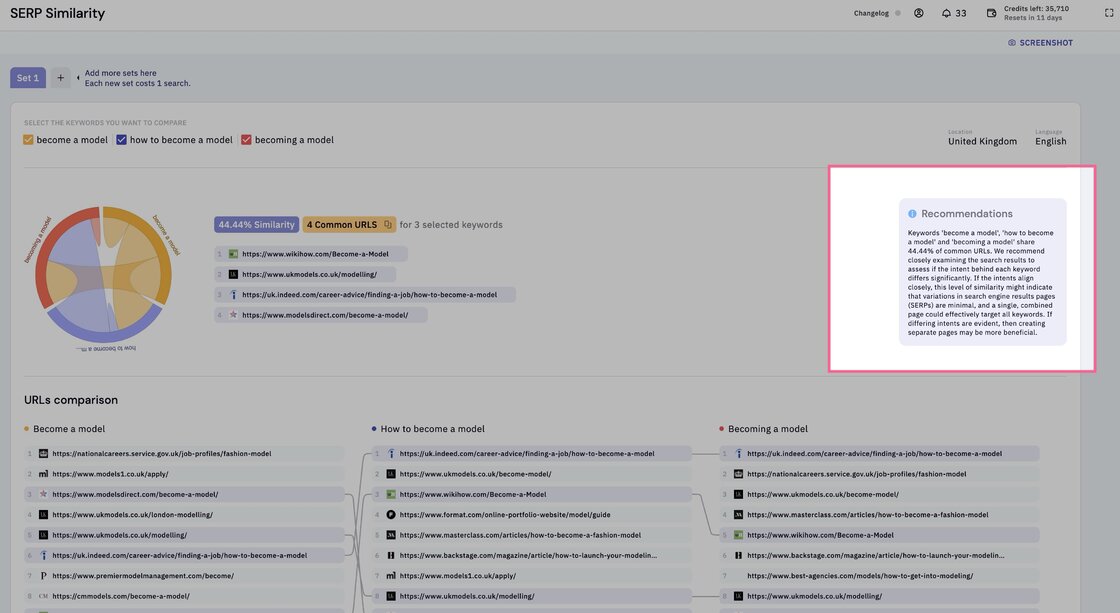
SERP Similarity actions.
Our beloved SERP Similarity tool got an update. We now give you clear action recommendations based on your similarity score.
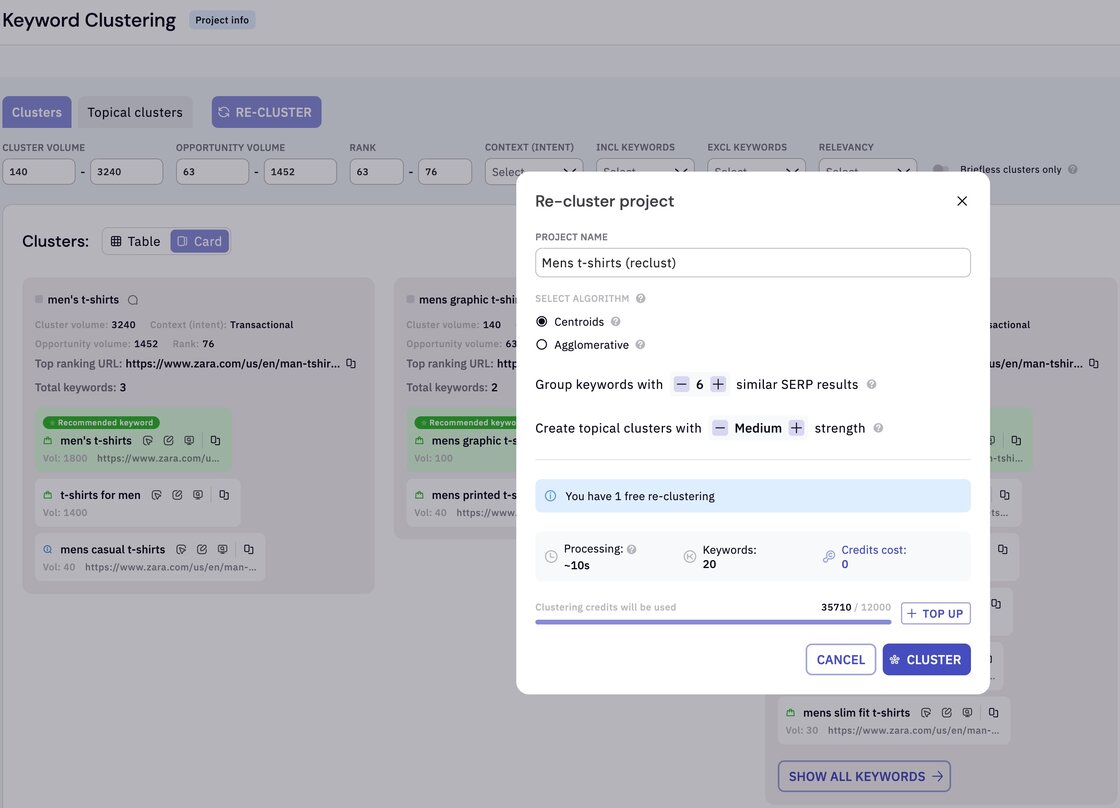
Keyword clustering
- Fixed a bug where the free re-clustering didn’t always work as expected.
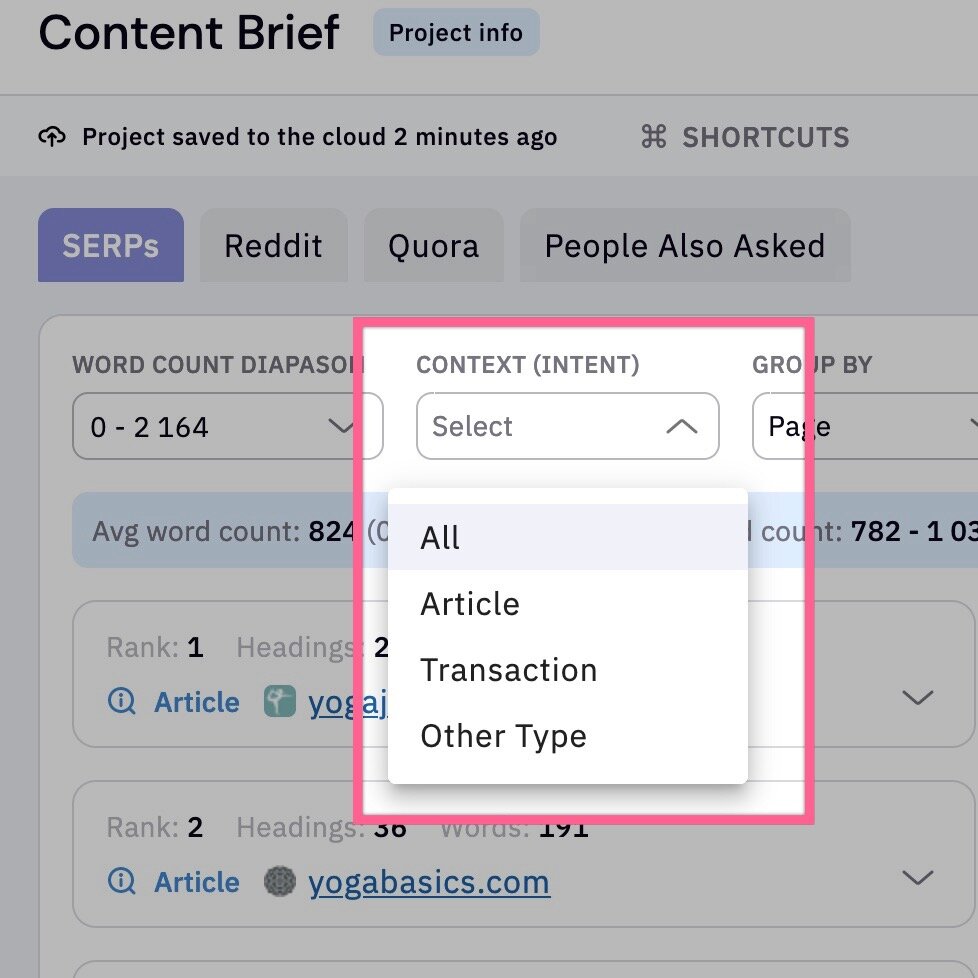
Briefs
- Fixed a bug where selecting an AI-generated text dragged the whole heading. Now, you can double-click the text and make it selectable.
- Added “All” option under context
Keyword Discovery
- Fixed a bug where selecting keywords in paginated pages unselects the earlier selections.
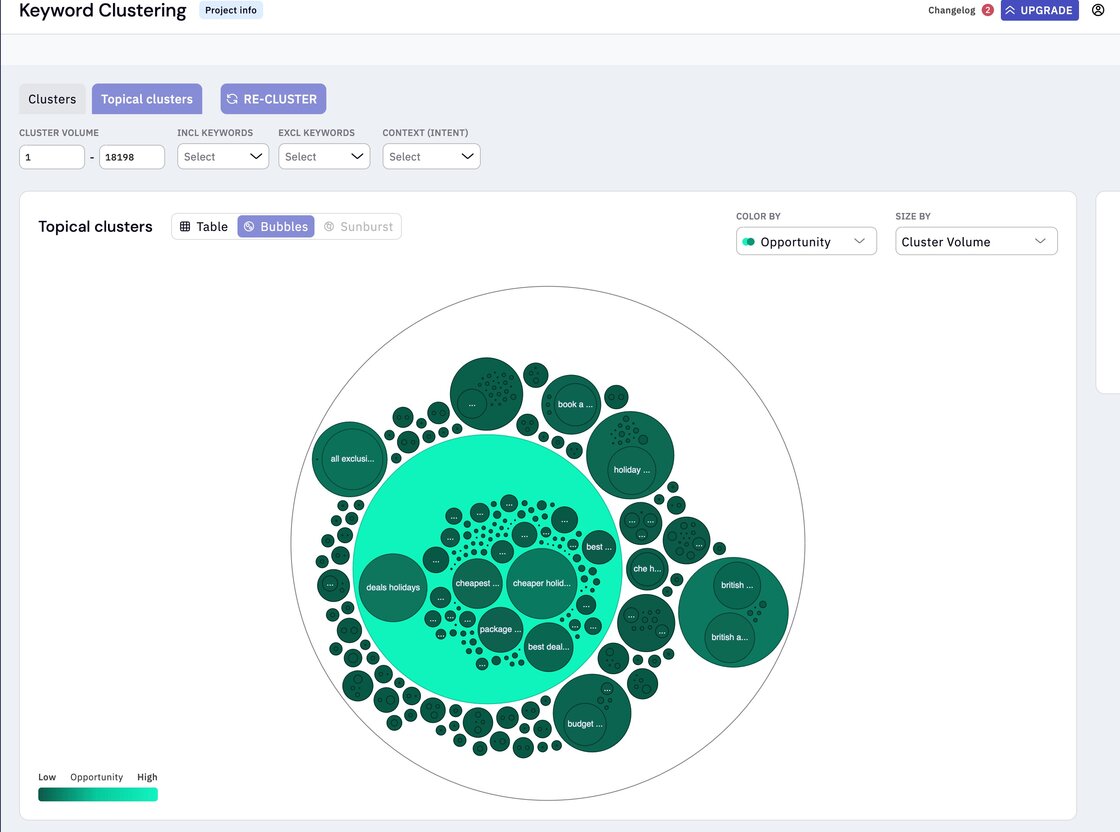
Topical Clusters
- The opportunity bubble code code is reversed for better visibility.
Other fixes
-
Project search is no longer case-sensitive.
-
Changing the account profile picture is now possible.
-
Fixed a bug where the URL is not remembered after logging in.