Google AI overviews, Raw cluster exports, Recommended keyword in Google sheets +++
Google AI Overviews
As you may know, Google has started rolling out AI overviews in the US and the UK. These are mostly triggered for informational queries.
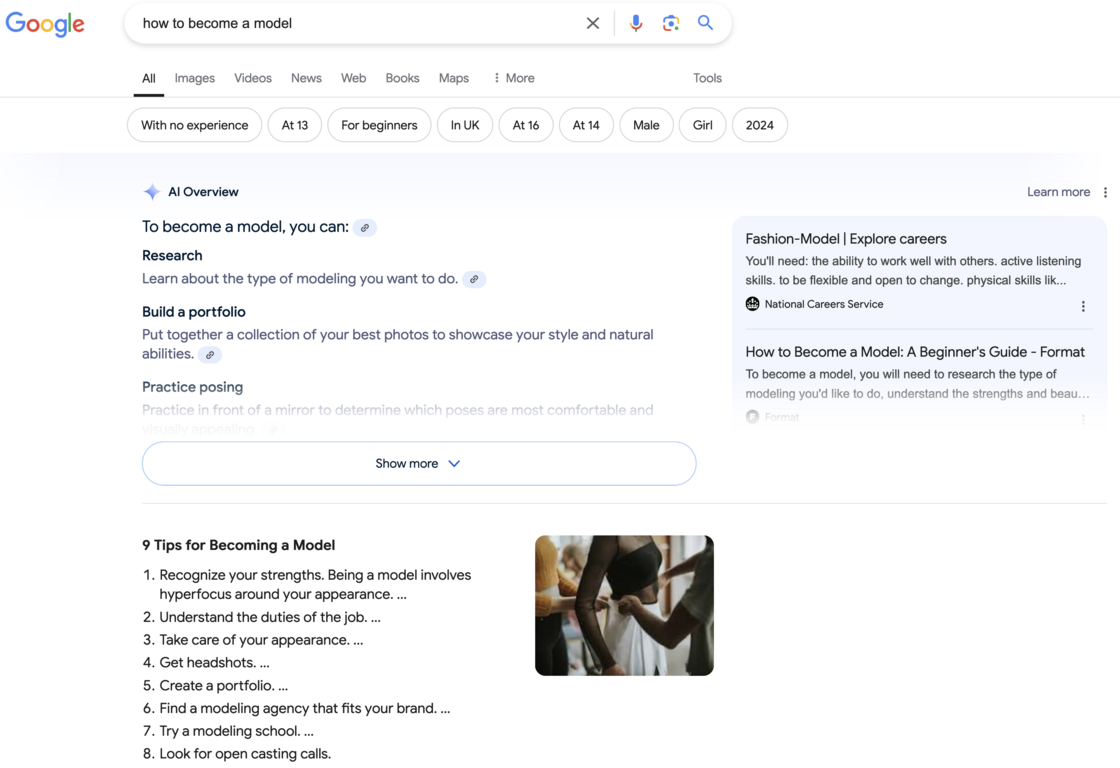
We’re excited to announce that Google AI overviews are now part of your clustering output. If the cluster head term triggers a Google AI overview, it will be included in your cluster visualization.
If you want to prioritise creating content which is less likely to generate AI answers, toggle this off to show the keyword clusters that are less likely to have AI answers.
Even better, when you click the AI overview icon, we’ll show you the content featured in the overview, along with all the source URLs.
**Note:**Keep in mind that Google AI is a new feature with unpredictable behavior, varying based on several factors. It doesn’t trigger for every user, so results may differ. Be sure to manually check in your browser before making any decisions.
SERP Features for clusters
We’re also introducing 4 additional SERP features with this release, and more are on the way in future updates. If there’s a specific feature you’d like to see, feel free to send us a request.
Currently, we support the following features:
-
Featured snippets
-
AI overviews
-
Video packs
-
People also asked
-
Local packs
You can also export your clusters to Google Sheets or Excel, and we’ll include the SERP features in a dedicated column for your convenience.
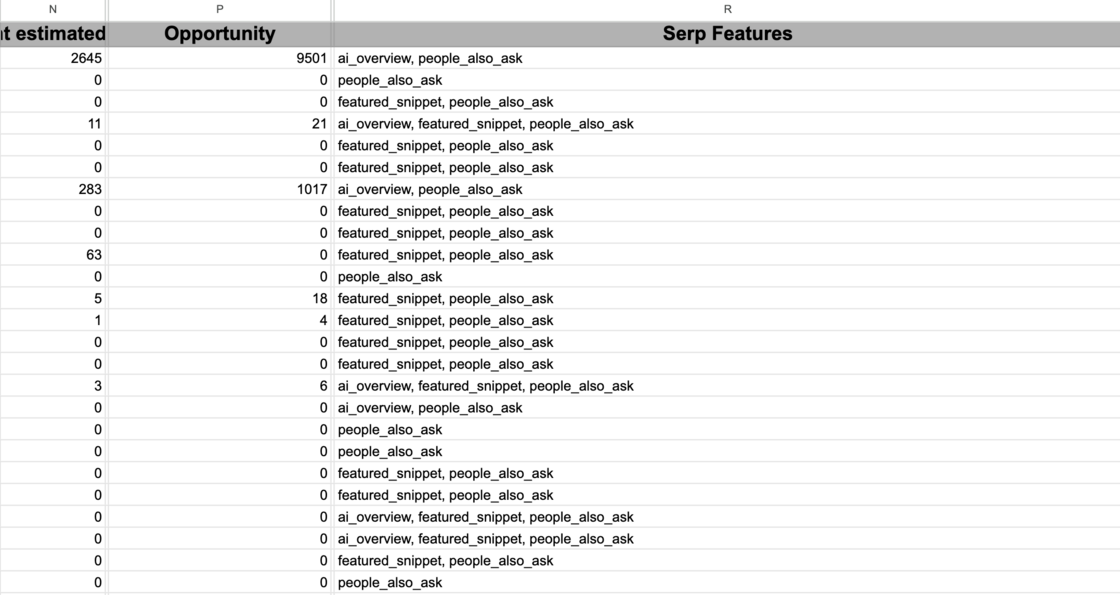
Download raw cluster output (nonprivoted)
When you run large files for clustering (over 100k keywords), the output often breaks in Excel and Google Sheets due to row limitations. To address this, we currently advise you to apply filters and reduce the row count before exporting.
The solution we’ve deployed with this update allows you to download all of your cluster data without any pivot tables, ensuring the full dataset can be accessed without limitations.
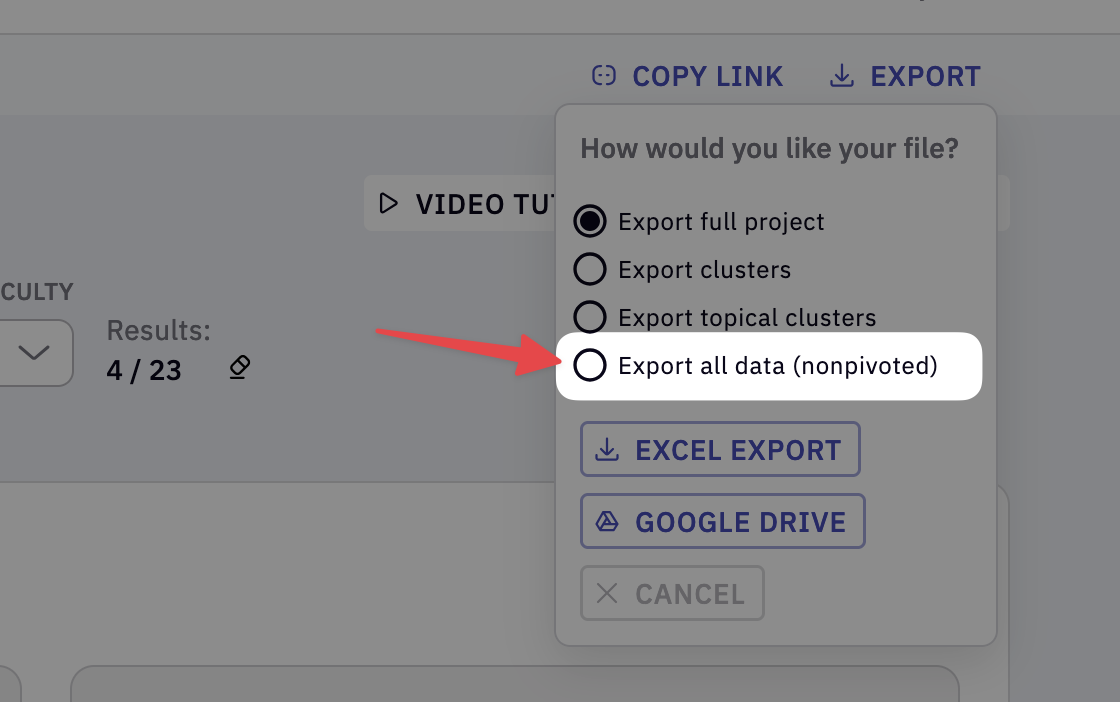
Click Export -> Export all data (nonpivoted)
Note: The export dialogue will display a warning message when the number of keywords to be exported is larger than 100k because Google Sheets and Excel won’t be able to display the Pivot Tables that are part of the first 3 export options.
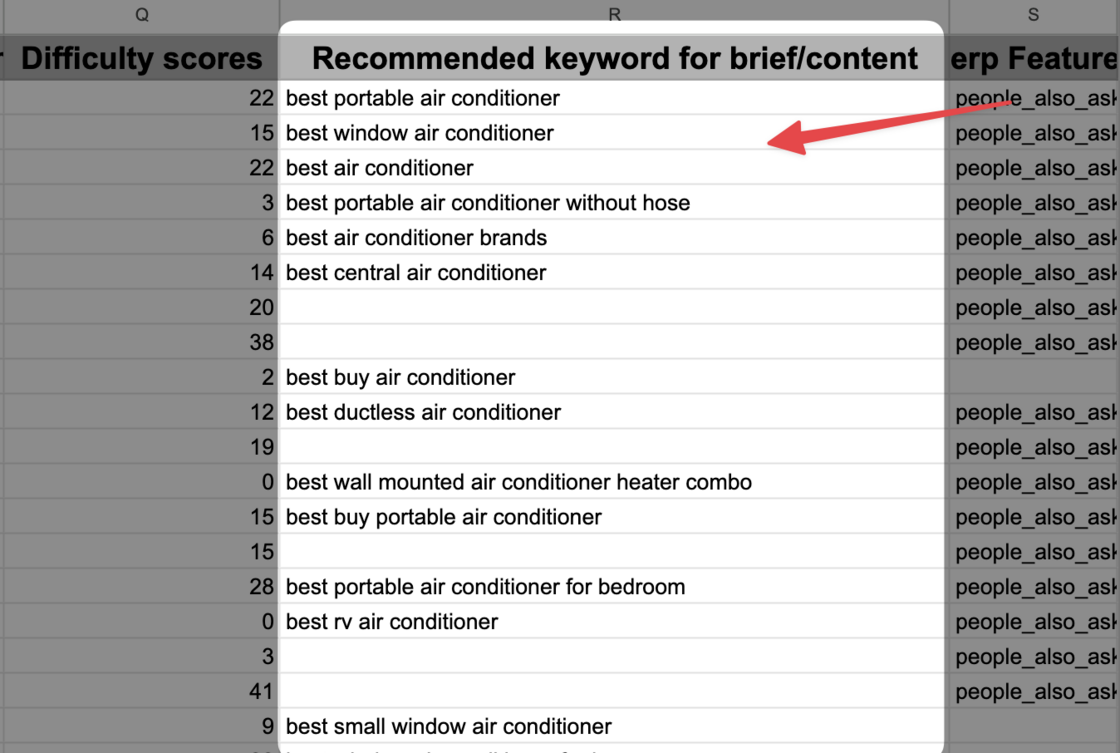
Recommended Keyword in Export
The keyword highlighted in green is what our algorithm has identified as the “best” keyword to send to the content brief/writing assistant, as it generates the most informational results for the cluster.
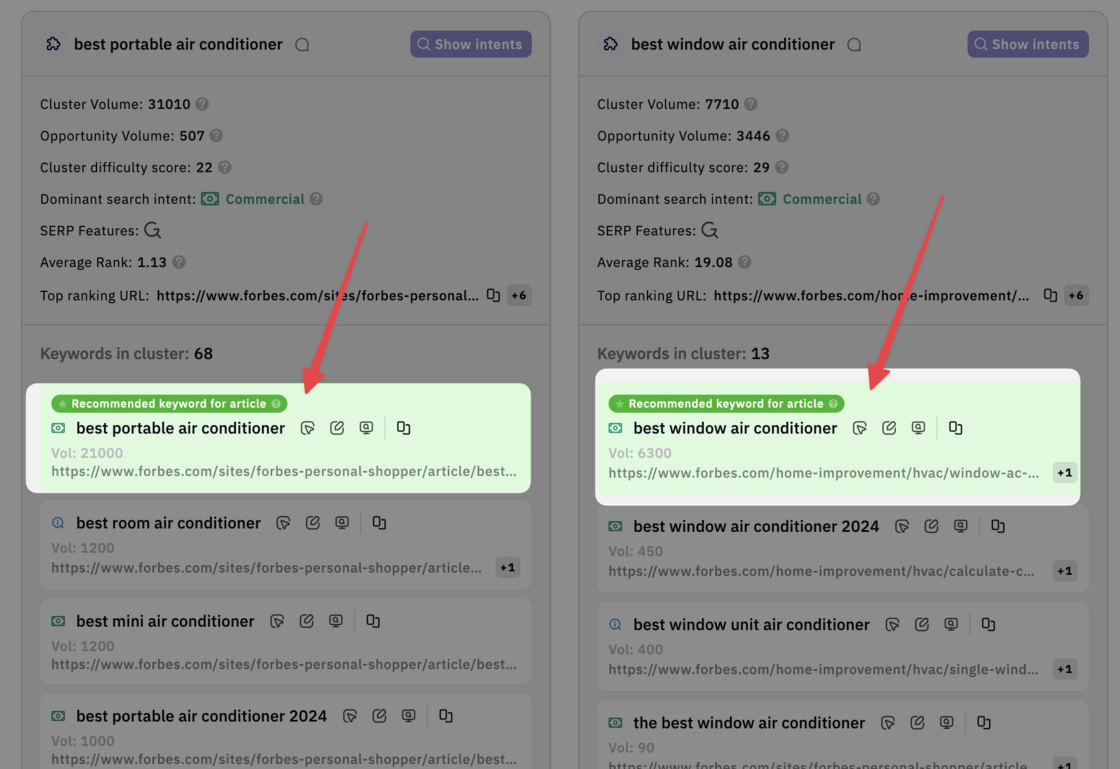
This keyword is now included in your Google Sheets/Excel export.
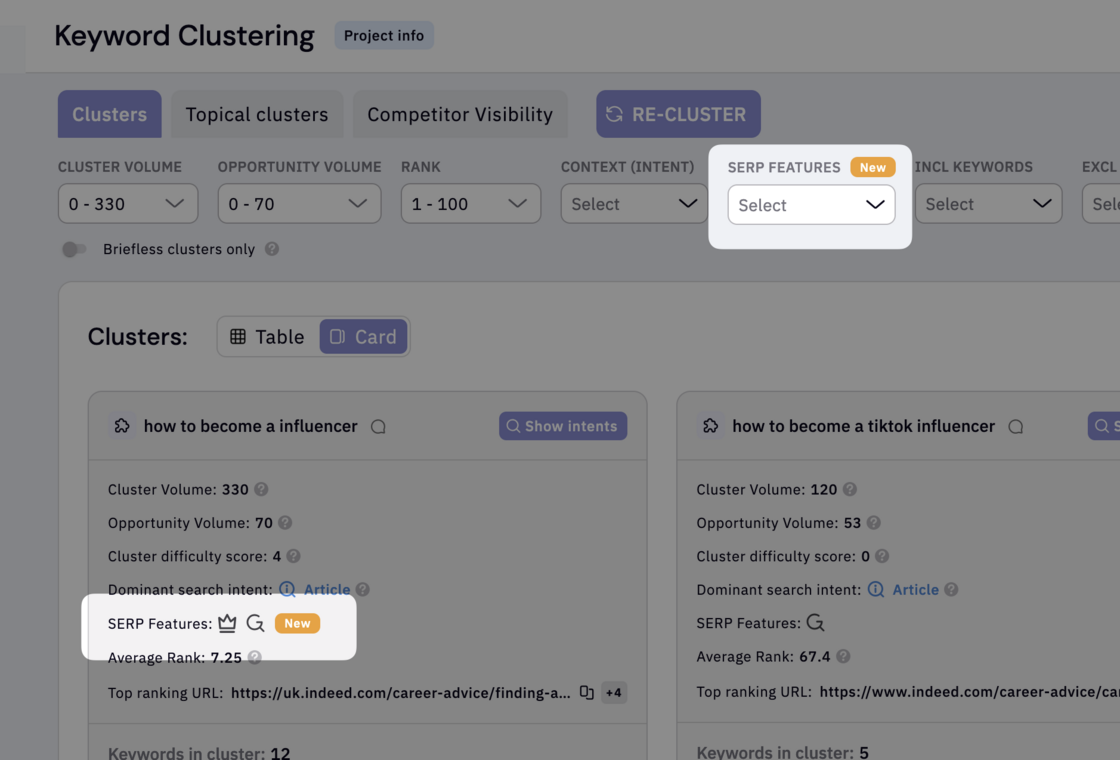
New feature labels
We’ve added a ‘New’ feature label, so you’ll easily spot any new updates the next time you log in.
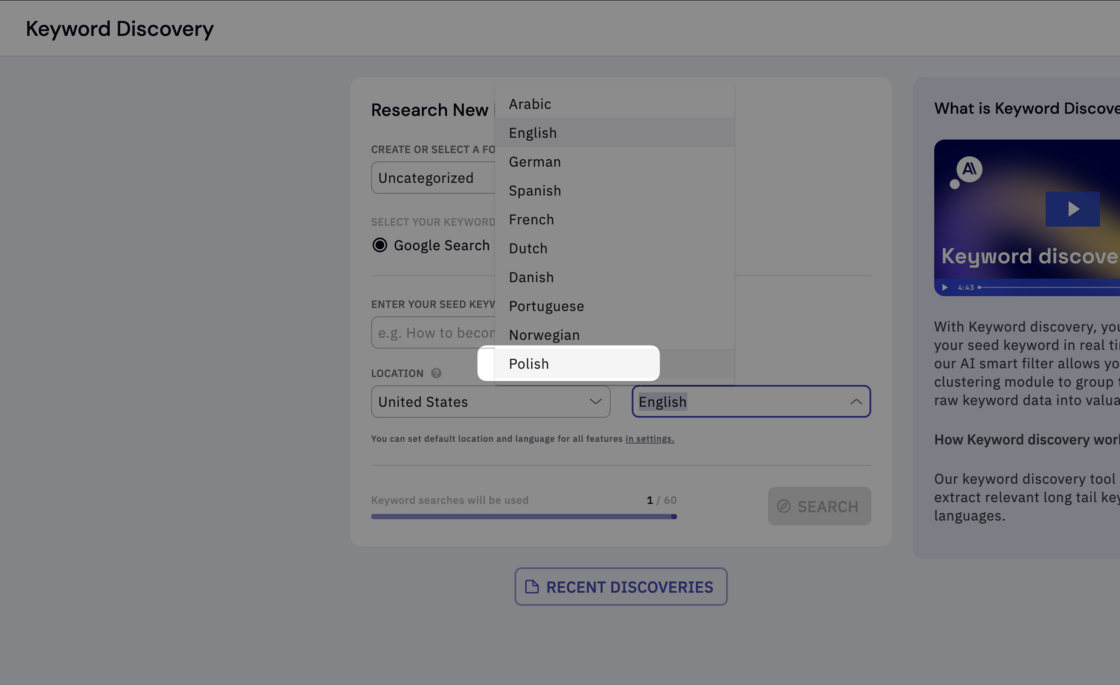
Added Polish language support for Keyword discovery
Cześć 👋
Improved the Agglomerative clustering algorithm
We discovered that the agglomerative algorithm was incorrectly grouping keywords in some cases due to SERP features affecting the results. To resolve this, we’ve developed a new algorithm that dynamically analyzes Google SERPs for more accurate keyword clustering.
-
We fixed a bug where a keyword is sent from clustering view to Writer assistant and then deleted from within Writer assistant the clustering view didn’t register the deletion. This prevented users from sending the same keyword back, as the button remained stuck on “Open article” despite the article being deleted.
-
We fixed a bug affecting customers with the Black Friday deal, where their annual subscription was mistakenly shown as a free account, preventing them from canceling or managing their account.
-
Numerous other small bug fixes and improvements to the tool.