Introducing SERP Analyzer V1.0 ✨
We are excited to introduce our new SERP Analyzer tool.
The SERP Analyzer is a powerful tool for anyone looking to optimize their website’s performance in search engine results. The tool analyzes the top-ranking pages for your target keyword and provides actionable insights that can help you improve your SEO decision making and help benchmark your site against the competitors.
We offer over 10+ important SEO metrics to help you quickly assess the competition and understand the content that’s ranking in the SERPs. Key data points include Moz DA, PA, backlinks, search intent, word count, publication date, and the number of referring domains, among others.
We offer 3 unique views.
SERP Analyzer -This view shows your SERPS in table format with all the key SEO metrics.
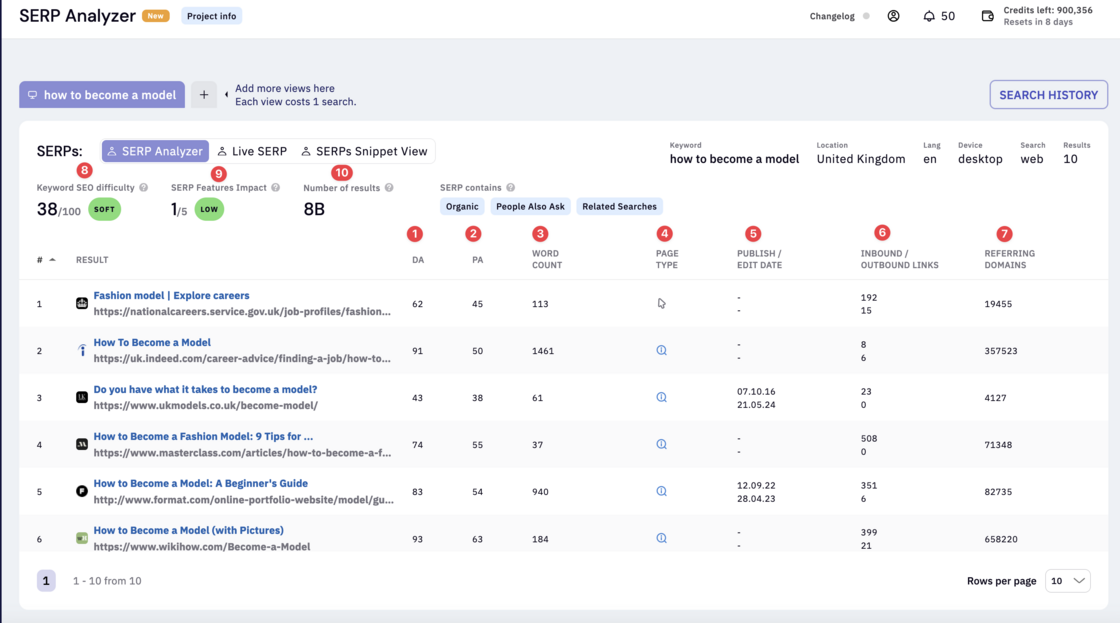
-
DA - Domain authority metric from Moz.
-
PA - Page authority metric from Moz.
-
Word count - Number of words in the ranking page.
-
Page Type - Search engine classification shows the type of page ranking (Informational, Transactional, Commercial or Other)
-
Publish & Edit date - Shows when the page was published and edited.
-
Inbound & Outbound links - Shows the inbound and outbound links from and to the page.
-
Referring domains - Shows the number of referring domains to the root domain.
-
Keyword SEO Difficulty - Shows the keyword’s ranking difficulty in the SERPs. The value is from 0 to 100 where 100 being the hardest to rank.
-
SERP feature impact - Shows how much impact SERP features has on your keyword. The value is from 0 - 5 where 5 means the highest impact. In other words this keyword triggers many SERP features.
-
Number of results - Shows the number of results in the SERPs for your keyword.
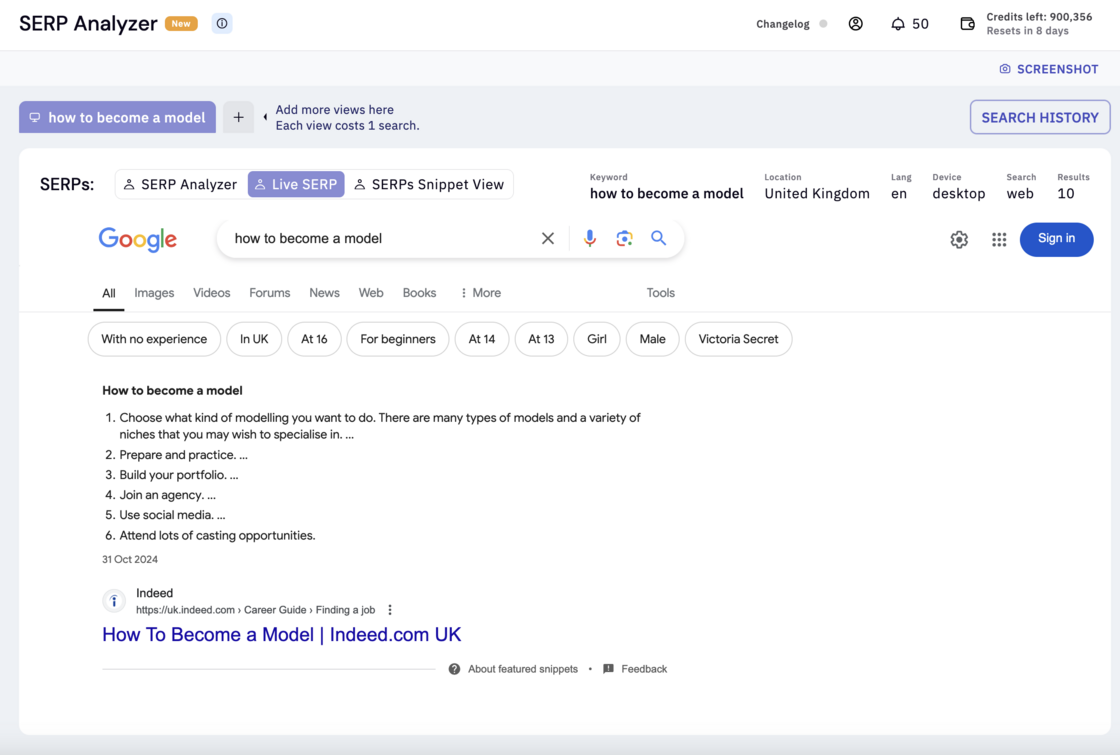
Live SERP - Most SERP analyzer tools rely on cached versions of Google results to cut costs, meaning the data you see may be outdated. In contrast, our tool provides real-time SERP data—fetched on demand—ensuring you get the most current and accurate results available. This means you’ll always have the latest insights, allowing you to make well-informed SEO decisions that truly reflect the current landscape.
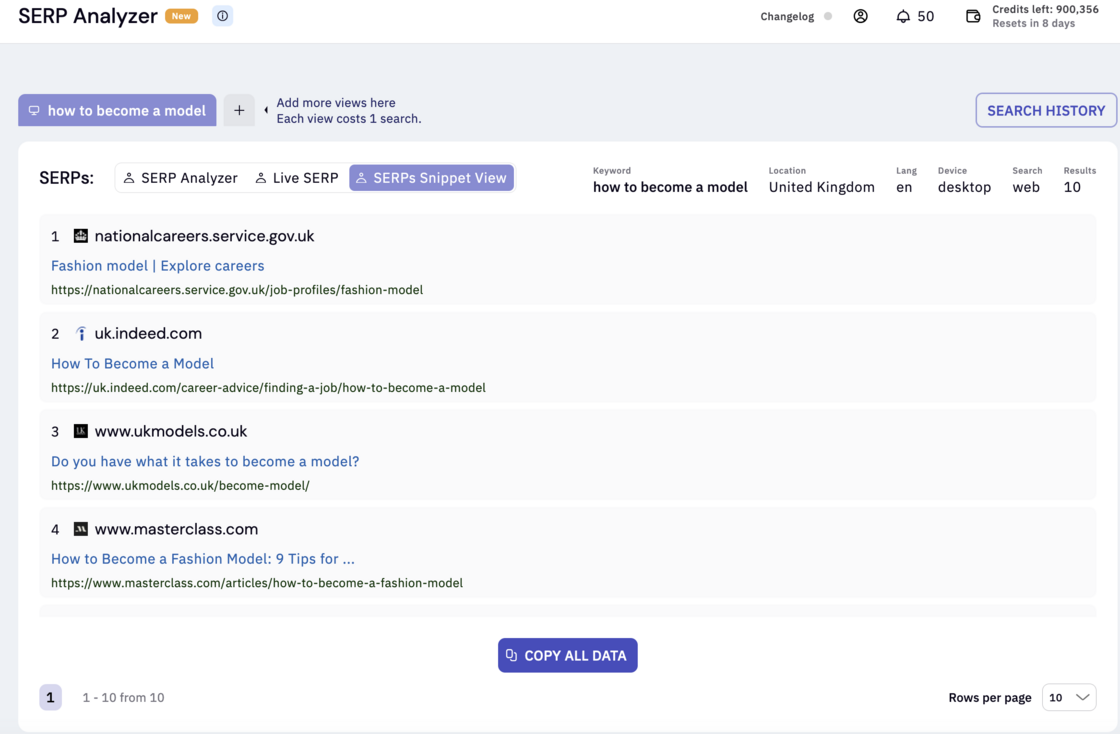
SERPs Snippet View - Need to export all SERP data without the hassle of using Chrome plugins or setting up crawlers? Simply switch to the ‘SERP Snippet View’ mode and instantly copy all key details, including titles, meta descriptions, and URLs. It’s a fast and easy way to get the data you need without any extra steps.
Third party edit access to briefs & Writer assist
This feature lets third-party writers and freelance SEOs access and edit your briefs and articles for a set period, without needing to purchase additional seats. It streamlines collaboration, making it easier to work with external contributors.
Key Features:
No sign-up required: Recipients can edit and grade content without creating an account or joining a team.
Access control: Original users can set permissions, such as view-only, or edit, for each article/brief.
Password security: You can set a password for your briefs/WAs, granting access for 7 days. After that, access is automatically revoked unless you change the password sooner. This ensures your content remains secure.
Search intent data via the API
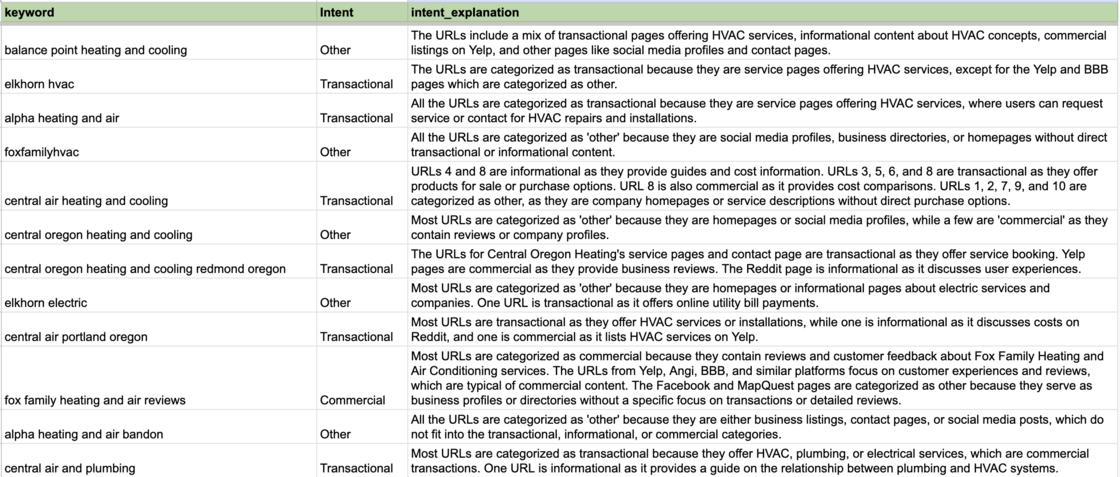
Previously, our search intent data was only available through our clustering reports, meaning you’d have to run a clustering job and use extra credits to classify search intent for bulk keywords. Now, with our new API feature, you can classify search intent for up to 200,000 keywords in one go—no clustering required.
Check out our API documentation to get started with this feature.
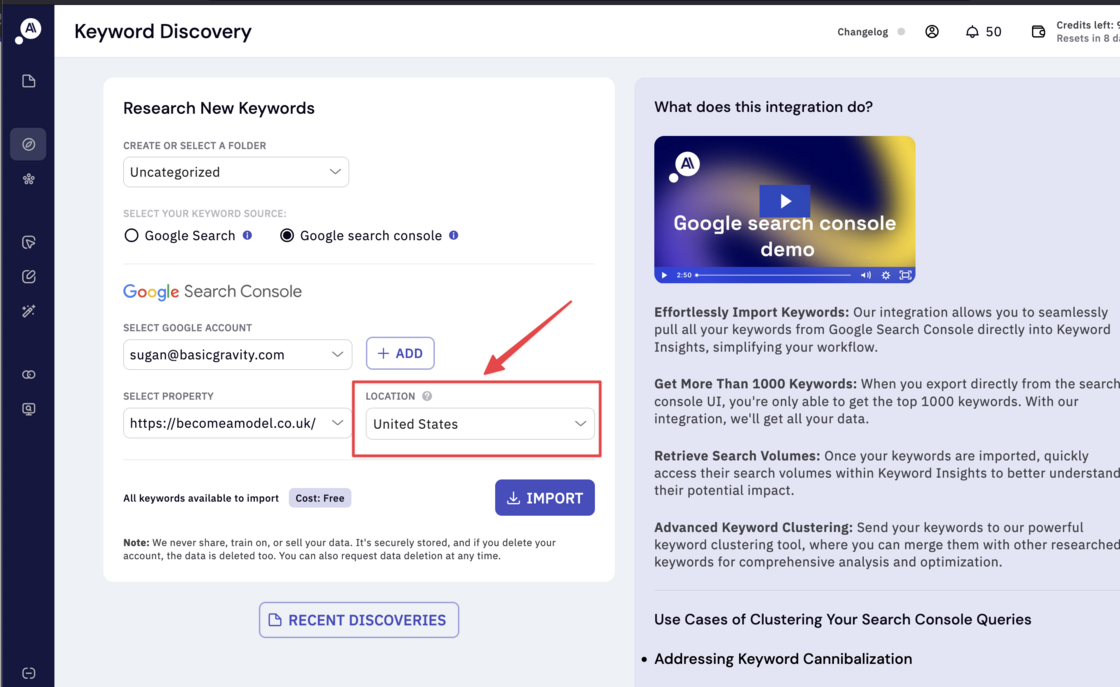
Import keywords from different countries in Google search console
Previously, when importing keywords from a Search Console property, we pulled in everything—including duplicates for each country—which often led to freezing or crashes. To fix this, we’ve added a country filter to the import section. Now, you can easily import your keywords pre-filtered by country, ensuring a smoother, more efficient process.
-
Fixed a bug that prevented users from pasting keywords into the SERP similarity tool.
-
Resolved an issue where a failure in the Moz API would crash the entire order, adding better error handling.
-
Improved the response speed of the Writer Assistant AI chat.
-
Many small bug fixes and UX/UI improvements.